Monday, May 23, 2011

The Photographer Never Gets Photographed...


Krystian is up to bat with me and Mary as the subjects

A few months ago while talking with some photography buddies this topic came up. As a photographer you're constantly taking photos of other people and never have any photos of yourself. In an effort to combat this and give ourselves an excuse to indulge in 3 vices at once (eating, drinking, and shooting) we decided to have a portrait party. My girlfriend and I invited a few friends and two other couples over for drinks and appetizers in with photo-shoots throughout.

In total we had 3 photographers there, Krystian, Conrad, and myself. Since me and my girlfriend were hosting it I provided the bulk of the equipment just so that everyone else didn't have to lug tons of gear over.

Doing free for all shoots is a great way to play with lighting and try new things without the pressure of having to deliver. Doing so with a bunch of friends along with food and booze is even better! On a funny side note we determined that when faced with a long wine aisle at the liquor store 2 out of 3 photographers will end up buying this brand just because of the label ;)

As the night progressed and more booze was consumed people relaxed a little more and some extravagant props like a bright pink feather boa made appearances ;)

We all had a blast and finally had some decent photos of ourselves for a change. So if you're in the same boat just throw portrait party of your own!


Women and their wine...
What's a feather boa between friends?


Some highlights from the portrait party

Sunday, April 3, 2011

Majestic Maya - Destination Cancun

[1] Cancun, Chitzen Itza De Touristed FIXED BW
El Castillo at Chichen Itza. See all photos here

I guess I'm a little quite tardy in writing this post but better late than never. A few months back my and my girlfriend decided to blow this sub-zero Popsicle stand and fly south for some warmer climates.

We considered a few different destinations, Jamaica? Too expensive right now, Dominican? Both had been there already. Cuba? Maybe. Mexico? Possibly but only if we go to the Mayan Riviera side so we can see some cool sights. In the end we chose Cancun, Mexico, based on prices and attractions. We booked our trip for Jan 30 to Feb 6th and after many hours on Tripadvisor decided to go with Sea Adventure Resort & Waterpark, an older hacienda style resort a little off the beaten path and away from all the tourists.

Our flight was good with no delays etc though our in flight entertainment system was down (Westjet I swear this happens 75% of the time, fix it already) but thanks to ipods, kindles, and good old fashioned paper books we were kept entertained.

Our resort in a nutshell was great, although upon arriving we were a little concerned. A couple from either US or Canada were in the middle of a fight with the hotel staff when we walked in the front doors. The bellboy was holding the door closed and they were shouting "you can't keep us prisoner here!!" and trying to open the door. It goes without saying that we were pretty wide eyed when we approached the front desk. It turned out the people had refused to pay $20 because one of their kids had spilled something on the bed and stained the sheets. Anyway, seeing how bewildered we were they immediately upgraded our room to an oceanview room with a jacuzzi on the balcony. Sweet.


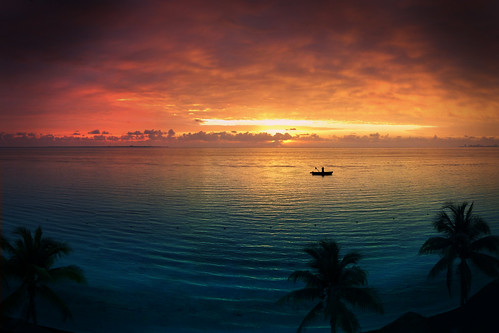
Sunrise Stitch SD780IS
View from our balcony

That was really the only bad experience we had at the resort. The staff were very friendly and eager to please, this was part of why we booked there, people on Tripadvisor couldn't say enough good things about the service.

The resort was located in Puerto Juarez in north Cancun, well away from the tourist zone. In fact it seemed we were pretty much on the outskirts of town. Pros were that we were close to the ferry to La Isla Mujeres and we had Mayan Ruins just up the road from us, cons were that cab rides into downtown were a little more money but not that bad.

Our first night we didn't do too much, just ate, drank, and got the lay of the land. The next day we paid for some tours and formulated a rough plan for our week.

Monday - Take the 2min shuttle up the road to El Meco Ruins ($3 fee at the gates)
Tuesday - Chichen Itza Tour ($72 each, 12 hour excursion)
Wednesday - Take it easy, maybe go downtown to the market
Thursday - Rio Secreto Cave Tour ($89 each, ~8hr excursion)
Friday - La Isla Mujeres
Saturday - Last full day, relax and enjoy it.

For the most part we were able to stick with our plan with the exception of La Isla Mujeres which got moved to Saturday.

El Meco

[2] Cancun, El Meco, 12 images, IMG_2050 - IMG_2061 BW
Pano taken at El Meco ruins just a 10 min walk from our resort

This was such a treat. We had heard about it on trip advisor when researching our resort. Reviews had mentioned that this ruin site was almost always free of other visitors and this turned out to be true, we were the only visitors there for half an hour and then one guy from our resort wandered in as well. If you're in Cancun I highly recommend heading out to these ruins, they may not be as grandiose as Chichen Itza but the peaceful stillness from the lack of people gives it a more surreal feeling. Both me and my girlfriend counted it as one of the highlights of our trip.

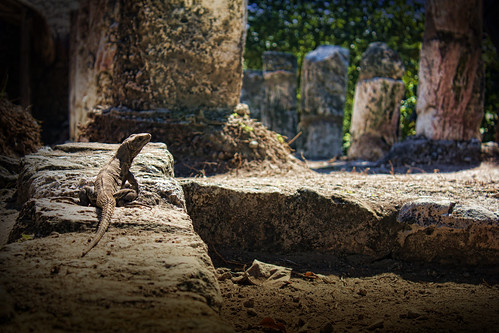
IMG_2080 colour
The lizards have taken over the ruins at El Meco

Chichen Itza
[3] Cancun, Chitzen Itza, 13 images, IMG_2431 - IMG_2443 Square Detouristed Cross Processedr

Being that our hotel was a little out of the way we were picked up by a shuttle (30 min late) and taken downtown to where the mini tour bus was departing. The drive was around 2.5hrs with a stop near Chichen Itza at a Cenote. There you could swim if you wanted then a stop for an included lunch. The lunch was actually pretty good and included a bit more authentic local fare.

After lunch we made our way to the historical site where we stayed for 2 and half hours. Our guide said we could follow him or break off from the group, however he very strongly suggested we stay with the group because it was easy to get lost and not find the proper exit. Don't believe they hype! We stayed with the group and regretted it afterwards, our guide took us through the Great Ballcourt and then stopped under the shade of some trees and talked for over an hour. Then we were given a little less than an hour to wander around the whole site on our own. In the end we missed some cool portions like the Priests Temple and the Observatory. My recommendation is watch "Cracking The Mayan Code" (its also on Netflix) before you go and read up about Chichen Itza on wikipedia before you go and skip the guide.

The site was pretty cool, the hoards of tourists kinda took away from the surreal landscape though. It wasn't until I had gotten home, processed and de-touristed the photos, that I could look back and appreciate what I had seen. It seems to be the same no matter where I go, I felt the same when I was on the Great Wall of China. I heard some people complaining that you they no longer let you climb up on the structures, I for one was glad since it kept people out of my shots ;)

[1] Cancun, Chitzen Itza, 11 images, IMG_2489 - IMG_2499 12x36 Colour Brown
Temple of The Warriors at Chichen Itza
One last note on Chichen Itza regarding souvenirs, there are some items we saw there and passed over because we thought we'd find them again later for a cheaper price. While this was true of some items there were others that we never saw again, for example there was a woven blanket with a very cool Mayan/Aztec looking pattern that I regret not picking up. I also bought an ash tray and a stone chess board while we were on our way out, I got both together for $20 and later on I saw the same chessboards for $80. I just said to the guy I've got a bus to catch, take it or leave it and he took the cash. When I told one of the vendors I bought the same chess board for around $15 he got a little angry and said that was not possible ;)

Rio Secreto Caves

img018
Photo from cd purchased after the tour

Now this was something I was very excited about before the trip. I came across it while reading up on excursions in and around Cancun and was surprised when I had discovered it because I had seen portions of it featured in the BBC/Discover series Planet Earth. I had no idea that this was in Mexico so as soon as I found out I told my girlfriend this was something we had to do.

The Yucatan penninsula is primarly limestone, because of this there are no natural rivers, instead they are all underground. Normally these caves are filled with water and require scuba gear to explore them, underwater cave exploration is one of the most dangerous activities in the world. Rio Secreto on the other hand is one of the few underground rivers that you can actually walk/wade through without ever having to put your head under the water.

The tour cost us around $99 USD and included pickup/dropoff from our resort as well as lunch at the caves. Like the Chichen Itza excursion our shuttle to pick us up at our resort was late, this time though it was running really late. Eventually after talking to a rep from Best Day Travel we found out that our shuttle had gotten a flat tire, the rep then put us into a cab on their dime and sent us downtown to meet up with the bus. We ended up being the last people to get on the bus and I'm sure people were thinking it was our fault we were late and held them up. Oh well I'll never see them again anyway ;)

Despite getting off to a rough start the rest of the excursion was great. Just a heads up though the showers they make you use before getting into your wetsuit are insanely cold since they are using water from the underground river. Its funny when you get back and you see another group who are just about to go through the same experience ;)

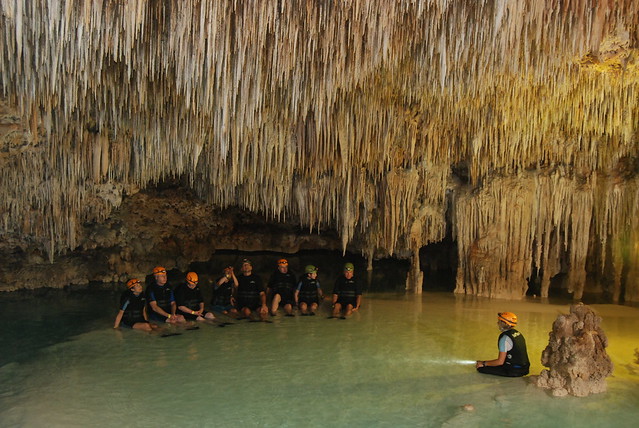
Our tour guide was great and our group was fairly small, I believe they always try to keep the size below 10 people. Walking is a little tricky since the bottom of the cave isn't always flat, just go slow and you'll be fine. Throughout the tour there is a guy that shadows your group and snaps photos here and there. At preset locations they have flashes setup (with bags over them to keep them dry) and they'll get you to pose for a shot like the one below.

img017
A posed shot while on the tour, note the flashlights in the pools providing extra light ;)

At the end of the tour while you're busy trying to get your wet-suit off they run ahead and dump their memory cards. You then get a shot of an anise and honey flavoured Mayan liqueur and they try to sell you the photos they took of you. Its a little steep at $60 USD for a disc but I'd rather pay for these shots then some lame one on a beach with a parrot on your shoulder. The disc you get also includes some nice stock shots from the caves as well, unfortunately the stock shots are lower res (2-3Mega Pixel). One thing to note is that your disc will contain two folders, "Fotos" and "Fotos para impresion", the first contains photos that are good for web use and emailing, the second contains larger files (10 Mega Pixels) which are for printing. At first I didn't see the folder with the full sized files and felt a little cheated.

La Isla Mujeres (The Island of Women)
The large ferries that take people back and forth to the island, $7 USD return

On our second last day we took a ferry across to the Island of Women. There is plenty of stuff to do on the island like diving and a whole host of water sports or you can rent a golf cart and cruise around the island. We however just played it low key and just walked up and down the strip on foot. At one point we wandered off the main strip a little too far and it was looking a little seedier, I don't think we were ever in any danger since the whole island makes its living on tourism.

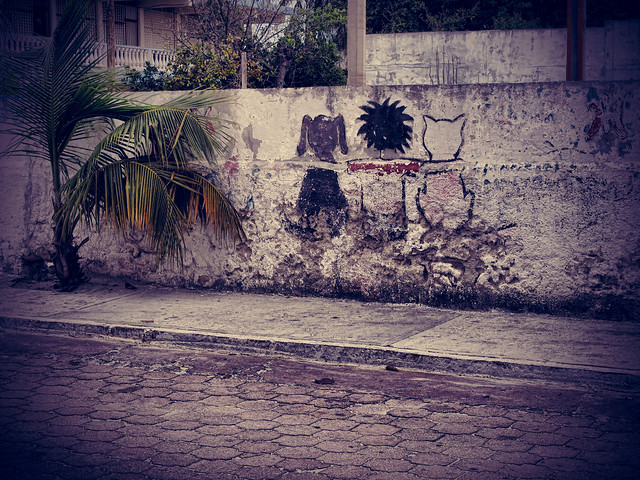
IMG_8148
Some graffiti we came across when we wandered off the beaten path on La Isla Mujeres

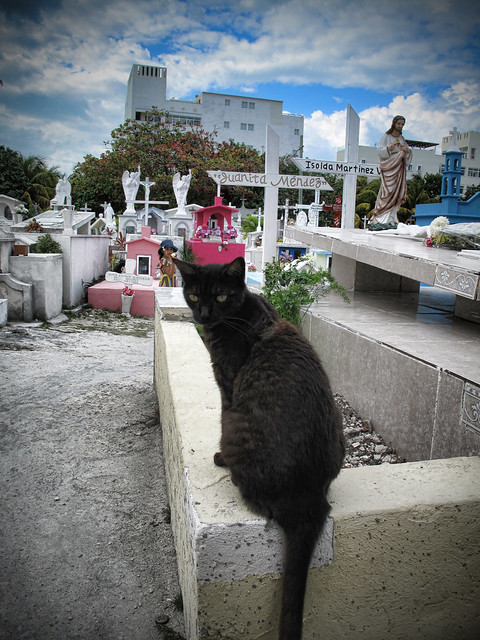
While we were off the beaten path we came across a neat little cemetery that had this creepy black cat apparently standing guard at the gates.


IMG_8150

We made it back to the main strip and found a little ice cream/gelato shop which was a nice place to sit and cool off a little. All in all the island was decent, others we talked to that had done some of the excursions had quite a good time so I'd say its worth checking out.


We could see our resort from the ferry!

In the end it was quite a nice little winter get away, we had a nice mix of adventure and relaxation and didn't break the bank in the process. What more can you ask for right?


Here's a little video I put together from a collection of clips I had shot with my little ipod touch.

Mexico Randomness from James Hildebrandt on Vimeo.


While staying at the resort you get 2 vouchers per week to eat at their fancier a la carte restaurant "Oysters". We found the food there to be quite good and while we thought the buffet was decent this was definitely a nice change. Here's a clip of our waiter preparing our Mayan Coffee:

Mayan Coffee at Sea Adventure Resort Cancun from James Hildebrandt on Vimeo.


If you want to see all of the photos from the trip you can check them out at my flickr gallery here or if you really like the shots you can purchase a little book of them here.

Monday, January 3, 2011

Advice on finding a wedding photographer

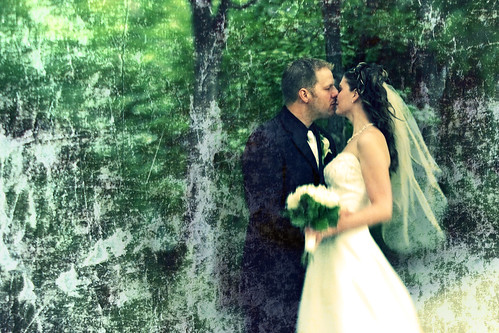
Wedding revamped 2

First let me start off by saying I'm not trying to pitch myself ;) In fact I haven't been shooting weddings for a few years now and won't be until I have my basement studio finished (if even then). However, I'm often approached by people asking if I'll shoot their wedding and always feel the need to write up a long email referring them to other photographers as well as give them tips on what to look for. I realized today that I've probably written over 50 emails like this so I finally decided to just make a blog post about it so in future I can just link them to it ;)

There are tons of photographers to choose from.
With the price of digital SLR cameras these days everyone seems to be getting into the biz, this is both good and bad for you. A fancy camera does not a photographer make ;) There are a lot of up and comers that are undercutting established photographers, a few are amazing and are a steal of a deal where others simply shouldn't be working. On the flip side some of the "established" photographers out there are really quite terrible. So what do you do?

First off ask your friends/family that have recently been married who shot their wedding and ask to see their wedding photos. Word of mouth and testimonials from people you know carry way more weight than a fancy website and/or ad campaign. Remember, a photographer's portfolio is their best work and not always typical of what you're going to get so trust what you see in your friends album over the portfolio.

Here are some questions to ask yourself as well as the prospective photographer:

  • How many years have they been shooting weddings/how many wedding have they shot? An experienced photographer that has shot a lot of weddings will probably cost more but it might be worth it because they'll know how to handle any situation that comes up. On the flip side a newer photographer, other than being cheaper, might be more in-tune with newer styles and may not take shots that seem as "old fashioned".
  • Engagement Photos. Often packages will include engagement photos and as I photographer I always preferred to do both the engagement photos and wedding photos. This gives the bride and groom a chance to work with the photographer and build a rapport with each other so that when the big day comes everyone is comfortable with each other. From purely a customer stand point my take is that the only reason for engagement photos is to have a nice photo for the wedding invitation, the rest of the photos are forgotten after the wedding. If the package includes it then great, if it costs more then its up to you to decide if you really want/need them.
  • What if it rains? Amazingly even some of the high end photographers don't do a proper job if it rains. Rain means shooting inside, preferably with the proper lighting equipment and skills to use it. This is where most photographers either lack studio experience, proper gear, or studio space to do it properly. Note that this is why I've decided not to take on any weddings for now, I simply lack the studio space to accommodate a wedding party. Ask the photographer what the backup plan is in the event of inclement weather. If they have a studio available to them with proper equipment ask them to see examples of the shots, if they've been shooting weddings for any length of time they will have certainly been rained out at least once.
  • Backup equipment. One thing that almost nobody asks the photographer is whether or not they have backup equipment. It's not unheard of for a camera to suddenly fail during a wedding shoot (a photographer's worst nightmare ;) but this again is where a seasoned pro will be covered and a newer photographer may not.
  • All day, just ceremony & formals, or by the hour? Most photographers will offer at least 2 of the 3 if not all of them. Which one you should choose is really up to you. You'll want to cover the ceremony and formals as a minimum and that is often much cheaper than all day coverage. Are the "getting ready" shots worth the extra price? Same goes with the dance, if you're cool with just "documenting" these extras then skip the all day coverage and collect pictures from your friend's digital cameras.
  • What is a second shooter and should I pick a package that has one? A second shooter is a second photographer that helps ensure the main photographer doesn't miss a moment, also by having one you'll get photos from multiple angles which can yield better coverage during say the ceremony. Generally only the higher end packages offer a second shooter and depending on the photographer/package they might only be there to help cover the ceremony.
  • Full resolution files on disc or ordering through the photographer? Nowadays with the digital revolution more and more photographers are just giving the files to the client on a disc and letting them make as many copies as they want. It's worth it to pay a little more for this feature as ordering through the photographer is generally expensive and some of the prices I've seen for enlargements are downright un-ethical. If you do get a disc though I highly recommend making a few extra copies as backups and keep one at a friend/relatives place as an off-site backup.
  • Photo editing, wedding album, hosted gallery etc. One thing you need to ask, especially with cheaper packages or inexperienced photographers, is whether or not the photos are edited and to what level are they edited. Is it just basic exposure & colour correction or does it include blemish removal etc. As for the other extras you might want to save the $$$ and do it yourself. I recommend www.blurb.com to all of my friends for photobooks, they are really economical and offer a very professional method for displaying your photos. Hosted galleries are almost pointless nowadays since you can do it yourself on facebook or flickr. One more thing about the photo editing, if possible see if they photographer will even be willing to throw in the original or "RAW" files, this way if the person doesn't do a good job editing the photos you'll still have the originals which could be edited properly at a later date.
  • Wedding Insurance, say what? Chances are you probably didn't even know this existed, don't worry because most photographers don't either. It's actually ingenious really and I'm surprised more people don't get it. Some photographers offer it but I believe the bride/groom can purchase it on their own as well. If you're planning a big/expensive wedding I recommend giving it some thought. Here is just an example of some of the things that can be covered: Personal Liability, postponement/cancellation, wedding photographs, wedding gifts, loss of deposits, wedding gown & attire, wedding jewelery.
  • Location location location.Where are you planning to get your photos taken? A few quick things to remember when choosing a location is that public places (parks etc) generally can't be booked for private gatherings and during peak wedding season may be inundated with other wedding parties. Here in Saskatoon a popular place is the Boffin's Club gardens, what most people don't realize is that you can't actually book this place. You can call them and they'll put your name down but they'll do the same for the next photographer that calls too, if you're lucky they'll let you know how many other weddings are marked down for that day. In short, try to have a backup plan and discuss this before hand with your photographer.
  • Agreement of service expected. To be honest I'm not actually sure if this is common or not but I think it should be if it isn't. Basically before you hand over any deposits write out in point form what the package includes AND what the photographer's liability is if for some unforeseen reason they are unable to deliver (gets into an accident on the way to the wedding etc). Essentially this is a contract for services, if they are asking for a deposit to ensure you don't bail on them its only fair that you have some assurances as well.
Well hopefully that covers just about everything, if I think of anything else I'll update this post.

Cheers,
James

Monday, December 6, 2010

Help Portrait 2010 Update

Photo credit to Dustin

UPDATE: Just wanted to throw in a special thanks to Costco photo lab for coming through with a deal on prints to help us out!

Well Saskatoon's first year participating in the Help-Portrait event is over and it was a huge success. We had 7 photographers and 10 other volunteers on site that day including a makeup artist! In total we had 71 groups sign up ranging from individual people to large families, all total we had 105 people get their portraits taken. Not bad for a handful of photographers, especially considering that this was the first time some of the photographers had worked with studio lighting.

As I'm writing this we're still waiting on some people to finish the post processing work on their shots, from what I've seen of the finished files they all look great! On the 11th we're hoping to have all of the photos ready and are going to be down at the Salvation Army handing them out, I can't wait to see everyone's reactions.

Our shoot started at 10:30am Dec 4th and went until 4pm. We ran two setups, one using my Impact 5x7' collapsible background that could accommodate 1-2 people and another larger setup using a fabric backdrop for individuals or big groups. We split up my two studio strobes, one for each setup, then used speedlights on each for secondary lighting. For triggering we used my Yong Nuo PT-04 Transmitter/Receiver sets on one side and PW's provided by another volunteer for the other side (thanks Jay!). All in all we didn't have any real issues, maybe a few minor things here and there but nothing big.

Behind the scenes shots from the day's event can be seen here at the Saskatoon group's page on Flickr and BTS shots from worldwide participants here.

In an effort to document some ideas while they're still fresh here are some things to consider for next year.

Things that worked really well:
  • Each person/group coming in to have their portraits taken were given a number on a small piece of paper, for their first photo they held this up so we could match pictures to the appropriate people.
  • Props, only one of our volunteers was on the ball in this department and she brought a huge teddy bear along with other props. These really helped and were a great idea, thanks Kim!
  • Dropbox. This is a great way for groups of people to collaborate and share files. So far everything is going good, just hope we don't run out of space ;)
  • The flyers that were handed out at the Salvation Army during the two weeks before the event really seemed to help get the word out and to the right people. Announcing stuff on the radio/TV ahead of time is likely to result in the wrong people taking advantage of the event whereas these flyers hit our target market perfectly.


Things that could be improved upon:
  • Backdrops, since it was our first year and we didn't know what to expect we thought one setup for small groups and one for large groups would work. We ended up with a lot of larger groups so this made it uneven, next year we'll just setup two large backdrops. Also I think that 2 studio strobes per side would probably work better especially if we're having larger groups (sorry Krystian you were right lol).
  • ID number slips, while they did work out really well one thing I'd suggest for next year is having them underlined. We had one incident where the person held a 9 upside down so it appeared to be a 6. The issue was quickly sorted out since we had names to match the numbers up with, since one was male and one was female it was easy to figure out.
  • Bring a whiteboard to keep track of how many sittings each photographer has shot. All in all it worked out fairly evenly for us, I think everyone got to shoot enough. Still it would have been easier if we had a whiteboard so that nobody got left out. On the other hand everyone is different and some people might only want to shoot a certain amount, it depends on each person's comfort level.
  • Bring a hotshoe adapter for Sony/Minolta cameras or figure out before hand if one is going to be needed. One of the photographers at our event was shooting a Sony and was stuck bouncing her speedlight off the roof instead of being able to take advantage of the lighting setup.
  • Fund-raise and seek out sponsors earlier. This was our first year and the majority of members didn't join until there was a month or less left before the event so we did pretty good despite that. Now that we have a base of support next year we'll be on the ball earlier.
  • Krystian (our lead organizer) suggested shooting in pairs and having another photographer aid in reviewing the shots as they were taken. This would help avoid surprises later during post ie Oh crap I shot a group at f2 and only the people in front are in focus ;)

All in all it went very well and I can't wait to see everyone's reactions when we give them their photos this Saturday. Thanks to everyone that volunteered and a big thanks to Krystian and his wife Aleksandra for starting this Saskatoon group rolling.

Monday, November 15, 2010

Use your talent to give back - Help Portrait 2010


I just thought I'd make a quick post about this really cool event called Help-Portrait. So what is Help-Portrait? Well it's a bunch of photographers getting together, in whatever town you're from, and going out into the community and doing portraits of people who might not ordinarily get portraits. These people could be the homeless, low-income seniors, single-parents and their kids etc. Afterwards you print out the photos and give them to the people you've shot. Check out their website, they've got some really inspiring videos about last year's wildly successful campaign.

It may not sound like much at first but it's amazing how much something as simple as a good photo can improve ones self esteem and the way they look at themselves.

The event for this year is supposed to take place Saturday December 4th so if you're interested in taking part head over to http://help-portrait.com and signup, then do a search to see if there is already a group for your city.

Saskatoon's got a group this year and we're busy trying to figure out all of the details, if you want to get involved signup at the website and join the Saskatoon group!

I'll post a follow-up after Dec 4th hopefully with some pics and behind the scenes stuff.

Monday, August 30, 2010

My camera takes crappy pictures, what should I buy?

I've been asked this question numerous times, normally I refer people to this earlier post but I figured I'd rehash the issue and provide some more info.

Essentially it boils down to
a) what exactly are they unhappy with in their current camera
b) what is their budget and
c) is camera size a crucial aspect?

Most of the time when people say they aren't happy with their current camera it due to one of 4 things:
1) Poor lowlight capabilities
2) Poor zoom
3) Pictures aren't sharp enough
4) Too much lag when the shutter is pressed

I'll cover each of these issues and explain why they happen and which type of cameras are affected the most and least.

Common complaints:

Poor lowlight:
All cameras whether film or digital suffer in this environment, photography needs a lot of light because after all we're capturing photons here hence photography ;) In the digital realm it really all boils down to sensor size, the larger the sensor the bigger the "footprint" available for the light to hit. Its like running outside in the rain to collect water, the person with the biggest container is going to get the most water. Point and shoot cameras are immediately at a disadvantage because of their size, smaller body = smaller sensor. If you're dead set on owning a point and shoot you're only real option is to use that nasty on-camera flash to create more light. Digital SLR cameras, having larger sensors, tend to work better than their diminutive point and shoot cousins in this environment. They are still not perfect but they offer a very noticable improvement. At the time of writing this one of the best low-light dSLR's in the entry level range is the Canon Rebel T2i ($979 with 18-55mm kit lens at Don's photo) which yields very acceptable images up to ISO 800. There are more expensive dSLR's with larger sensors (full frame sensors) but these are really out of the price range of most people ($3000+ for just the camera without lenses).

Image sensor sizes, the smallest shown are point and shoot sensors


Poor Zoom:
Once again the point and shoot camera is being dealt a poor hand right of the flop, their small size physically limits the amount of zoom that can be available. Ignore any claims about digital zoom, this is not real zoom at all, it’s the same as blowing it up on your computer and you'll result in a blurry image. Optical zoom is the important number here, 3-5x optical zoom is fairly standtard within the realm of point and shoot cameras (P&S's from hereout) with a few touting 7x optical zoom. When you start going above this range, up to say 14x zoom, you leave the P&S realm and get into the mid-sized "bridge" or "prosumer" cameras. They call them bridge cameras because they bridge the gap between P&S camera and full fledged dSLR's. I tend to tell people to avoid these cameras, the reason is that about 4 out of 5 people that buy them are upgrading because of an interest in photography and end up buying a dSLR soon after anyway. I say skip that expensive step and just go for a dSLR, the size isn't that much bigger than a bridge camera and prices in some instances can be roughly the same. For those scared off by dSLR's because of all of the extra features don't worry, there is still "auto" mode and as you feel more confident you can explore the manual features to improve your photos even more. Lastly with a dSLR you can change lenses so if the kit lens that it comes with isn't enough you can buy a telephoto zoom that suits your needs.

Example of a "bridge" camera, for the most part I say skip these and look into dSLR's which will start at close to the same price.

Pictures aren't sharp:
Most often this complaint is less the camera's fault and more operator error when it comes to image quality. Even though digital cameras are common place now its surprising how many people don't realize you should always press the shutter halfway first, let the camera focus and determine exposure, then press fully. If this isn't done photos are often blurry because you're rushing the camera, often the autofocus doesn't have time to detect a face instead of the background (though this is improviing). Sometimes poor images are due to low light situations like we covered above. Point and shoots are mainly meant to yield nice 4x6 shots, that’s not to say if shot properly they couldn't provide bigger enlargements, but in the end they are made for capturing friends and family more than they are for fine art prints you'd blow up and frame in your livingroom. A station wagon is a station wagon and a sports car is a sports car, they are two different classes and are meant to do two different things, don't set your expectations too high. With the digital era people started viewing their photos on computers, immediately they began viewing them at 100% size and used this to judge image quality, while this is a valid method in some instances really what you should be doing is viewing it at the desired print size. For example a 12MP camera will snap a picture at roughly 4272 x 2848 pixels, this equates to a 14" x 9.5" print at 300dpi (just divide the pixels by 300), most point and shoot cameras when printed or viewed at 100% or maximum size won't yield the nicest quality. If you take the same image and view it at 1200 x 1800 pixels or 4x6 size they image will probably look much better. The truth is that most of the cameras out there are perfectly fine when it comes to image quality when judged by the print sized they'll most likely be used for. The problem is that manufacturers kept making them with higher and higher MP ratings when the sensor itself shouldn't really have that many and didn't need it if you look at what they're going to be used for. In truth anything above a 7MP camera for a point and shoot is really a waste, 7MP will let you make 8x10's at photo quality and can be pushed up to 11x14 in many instances, most people never even make enlargements at these sizes anyway.

Laggy shutter times:
Buy a dSLR. Period. Sad but true even with the most expensive P&S and bridge cameras you're always going to run into shutter lag. Even dSLR's when used in automatic mode will have some amount of lag as it autofocuses and adjusts the exposure however the time it takes to do it will most likely a lot less. Some cameras are worse than others and they way that you use your camera will affect this as well. As mentioned earlier pressing the shutter half way to "prep" the focus and exposure will significantly reduce any lag. Use of a flash can have a huge impact on this as well since it takes time for the flash to charge.

So what should I do?
It depends on a few things. After reading this do you still think you need a new camera? If the answer is yes then you'll need to see if what you want out of a camera is possible given your budget.

Buy another point and shoot?
The only time I'd recommend this is if you have a camera that wasn't made by a reputable name (ie Canon, Nikon, etc), if you're looking for new features like HD video, or if your camera was just really old (2MP for example). There are a few brands out there that have really crappy point and shoot cameras and you wouldn't expect it from the name, Polaroid for example makes terrible digital cameras, Olympus also has left a lot to be desired upon entering the digital arena. As far as MP's go I always tell people not to get to carried away with it but realistically if you're still shooting a 2-4MP camera an upgrade may be desireable. Another acceptable reason would be if your current point and shoot has very limited zoom or no optical zoom at all, in this case you may want to look at a better point and shoot or upgrade to a bridge or dSLR.

Should I look into these bridge/prosumer cameras?
Maybe. This is a really tricky area because they are really not that much cheaper than an entry level dSLR and only slightly smaller. If you think you may be considering a dSLR in the future you should definitely skip this range and hold out for a dSLR. If you're strictly looking for a bit more zoom and some added controls then perhaps a prosumer or bridge camera is precisely what you're looking for, my only advice is give it some serious thought before taking the plunge.

Should I just go all in and get a dSLR?
If you're wanting better photos, don't mind a bit larger camera, and can afford it then unequivocally YES. There are just so many advantages to a dSLR and due to their increasing popularity you can buy amazing cameras for very low prices. Ten years ago consumer level dSLR's didn't even exist, in late 2003 Canon came out with the first one for a resonable price ($1500) and it was 6.3MP. Today you can get an 18MP dSLR capable of full 1080P HD video for under $1000 and a resectible 10MP for $549 with a lens. Plus you can still keep your old P&S for snapshots ;)

Some example cameras from each class

Prices accurate as of Aug 30 2010

Point & Shoot

Canon Powershot SD1400IS ($249)
Pros: Very small and portable, Surprisingly crisp HD video (720p)
Cons: Only 4x optical zoom, can't use optical zoom when recording video

Canon Powershot SD780IS (Low prices if you can still find it in stock, its last years model but virtually identical to the SD1400IS)

Pros: Very small and portable, Surprisingly crisp HD video (720p)
Cons: Only 4x optical zoom, can't use optical zoom when recording video

Canon SX120IS ($229)
Pros: 10x optical zoom (very high for a P&S)
Cons: No HD Video (still has SD video though), Large for a point and shoot

Sony Cybershot DSC-H55 ($269)
Pros: 10x optical zoom (very high for a P&S), HD Video (720p)
Cons: Uses expensive proprietary Sony Memory sticks for the storage medium

Nikon Coolpix S8000 ($279)
Pros: One of the smallest cameras sporting 10x optical zoom, HD Video (720p)
Cons: No optical zoom while recording video

Bridge / Prosumer cameras
Canon Powershot G11 ($549)
Pros: All the controls of a dSLR, solid build, almost the industry standard camera for journalists
Cons: No HD video, only 5x optical zoom

Canon Powershot SX20IS ($449)
Pros: 20x optical zoom, HD Video (720p)
Cons: Lack of RAW support, slow lens at telephoto range (ie aperture is smaller letting in less light)

Panasonic Lumix DMC-FZ100 ($549.99)
Pros: 24x optical zoom, Full 1080p HD video, Leica lens
Cons: Electronic viewfinder could stand to be higher resolution

Fuji Finepix HS10 ($499)
Pros: 30x optical zoom, Full 1080p HD video
Cons: Slow processing of RAW format images

Digital SLR cameras

*Unlike the rest of the cameras I've listed above I'll include the MP rating for the ones below since the larger sensors actually make it a legitimate spec. Keep in mind that even 7MP will yield a crisp 8x10 print so unless you're planning on making posters you should still avoid getting too caught up in this rating. One caveat is that higher MP will allow you to crop a photo more and still retain detail.

Canon Rebel XS 10MP ($549 with an 18-55mm kit lens)
Pros: Solid entry level camera for a low price
Cons: No video capabilities, 10MP (which is still not bad)

Canon Rebel T2i 18MP ($979 with an 18-55mm kit lens)
Pros: High value for money, Full 1080P HD video, High MP for the price
Cons: Price may be above an entry level budget

Nikon D3000 10MP ($499 with an 18-55mm kit lens)
Pros: Solid entry level camera for a low price
Cons: No video capabilities, 10MP (which is still not bad)

Nikon D90 12.3MP ($999 with an 18-55mm kit lens)
Pros: Wildly popular, first dSLR to allow HD video shooting
Cons: Video is only 720p, price may be above an entry level budget

Sony Alpha A230 10.2MP ($399 with an 18-55mm kit lens)
Pros: One of the most inexpensive dSLR's, allows shooting to SD card as well as memory stick
Cons: No video recording, hotshoe is non-standard and may require adaptors for use with non-sony/minolta flashes

Pentax k-x 12.4MP ($629)
Pros: Compatible with almost all Pentax lenses, burst rate of 4.7 frames per second
Cons: Video is only 720p, no HDMI port

But wait!
Before you go running out the door to drop your hard earned cash on a new camera I recommend doing the following. Leave your cash/cards at home and go window shopping first, if at all possible try the camera out in the store and see how it feels. Write down a list of cameras you're interested in, when you get home scour the internet for reviews on them and see if there is any hidden flaws you didn't notice. Dropping a few hundred bucks or a grand is a big deal and you should be sure of what you want before you drop that kind of cash. I'd also recommend holding off on buying all sorts of accessories for the first week or so while you try out the camera at home, this way you can still return it without getting stuck with a bunch of accessories.

Good luck ;)

Sunday, August 22, 2010

Break from digital : A vacation to film land

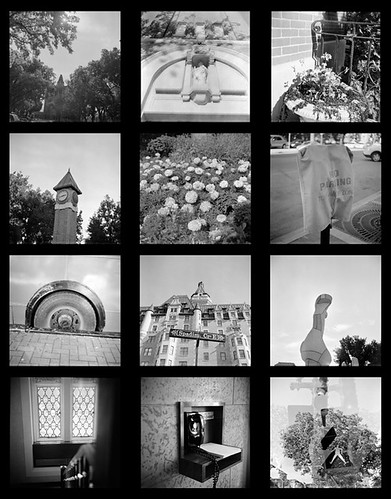
Lubitel II Set1 - Index

I don't think I've really mentioned it much (if at all) here on my photo blog but I collect old and unique cameras. Every once it awhile I'll put down my digital cameras and pick up one of these to head out for a little film fun.

The majority of the older cameras I have are medium format TLR's and the odd box camera, there are a few 35mm exceptions like my elegant Werra 3 and the low fi Smena 8M.

It is when I have these cameras in hand that I remember how exciting taking photos was when I was a kid. Each frame was precious because you only had a finite number, no erasing unwanted photos or memory cards that allow for thousands of photos. There was always that feeling of anticipation as you waited to get the photos back from the lab wondering "did they turn out?" Or in some cases "I have know idea what's even on this roll" lol. The kids growing up in the digital age missed out on this (I feel old saying that and I'm only 29), don't get me wrong I love what digital sensors have given us in photography but it's also taken something away.

Today reminded me of that era and gave me a glimpse of that old excitement when I saw this camera while surfing the web:
(Photo from www.japantrendshop.com)

It's the Superheadz Blackbird Fly, a new 35mm TLR that hails from Japan. Other than Seagull I don't think any other company is producing new TLR cameras, sure there was that digital Rollieflex a few years back but at 2MP it was more of a joke than a real camera. These little Blackbird Fly's (aka BBF) are a little pricey at a touch over $100 but are cheaper than the medium format Seagull TLR. I like the fact that they shoot the readily available 35mm film, it's a little easier on the pocketbook compared to spending over $1 per photo with 120 film not counting the film itself. If you're shooting MF because of the higher detail negatives you're most likely shooting on a MF SLR or a higher end TLR anyway so 35mm makes sense for those of us just looking for some fun.

If you are however interested in the medium format route you can get into it on a fairly low budget. The Holga 120N is a cult classic in the field of lomography and can be had for under $50 if you look hard, Diana's (the inspiration for the Holga) are also still available and fit a shoestring budget. Some vintage cameras can be found on ebay or in your local antique shops, the Lubitel II and 166B made from bakelite instead of metal can generally can be had quite cheaply. Lastly, and not to be overlooked, the archaic yet still fully functional Kodak box cameras often sell in antique shops for around $10. The only piece of advice I'd offer when looking for vintage medium format cameras, assuming you want to shoot with them, is to make sure they shoot 120 film and not 620. It is possible to respool 620 onto the fatter 120 spools but its not the easiest process.


Another interesting little camera that is made by the same company is the Superheadz Golden Half which is quite unique itself. This is a throwback to yet another popular genre from yesteryear, a 35mm camera that only uses half a frame per photo netting you twice the pictures! A few years back I was trying to find something similar on Ebay and the vintage versions were fetching prices that were outside of my range. At just over $50 these are still a tad on the pricey side all considering however they are unique and since they're new you don't have to worry about buying one and finding the lens is covered in fungus ;)
(Image from http://kualalumpurcity.olx.com.my)


I ended up ordering an orange Blackbird Fly and a "black mountain" Golden Half, once I get them and put a roll through each I'll make another post reviewing my findings. At one point I'll dig all of my vintage cameras out, take their portraits, and write up a post about all of them too but that'll be down the road.
Align Center