
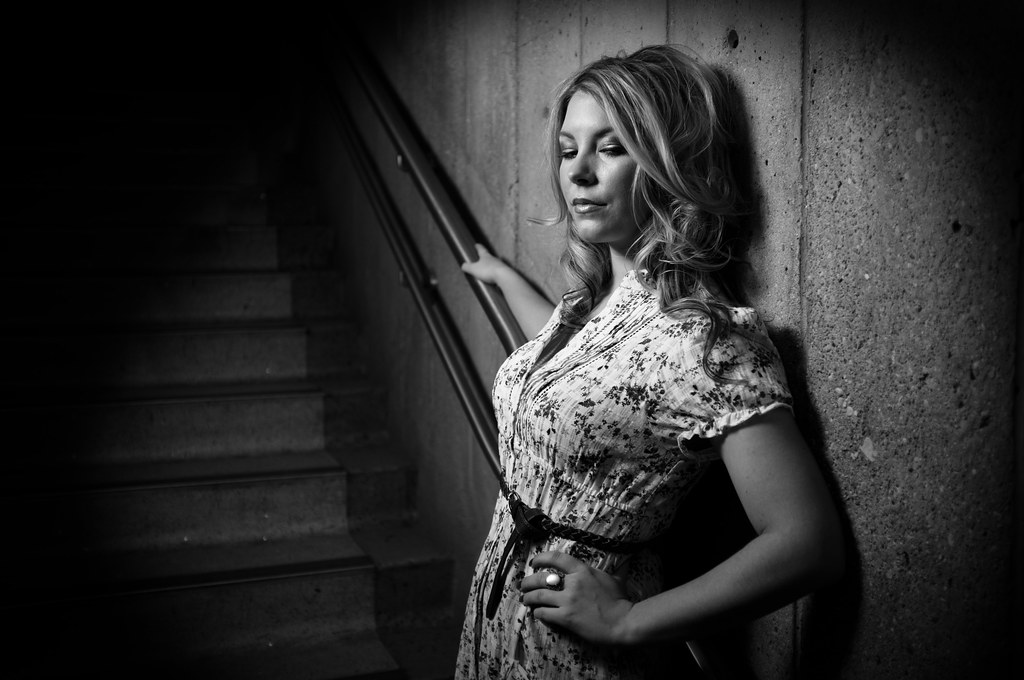
Testing the Fuji X100 with off camera flash - ISO200 f2 1/500s
Disclaimer: This is not a detailed camera review, those have already been done ad nauseum for this camera and better than I could do. Nope this is more along the lines of Zack Arias's musings on the x100.
Nine days ago the portion of my brain that controls impulse was sleeping on the job and allowed me to drop a significant chunk of change on the Fuji X100. I'd been seeing advertisements here and there and reading the odd review in various photography magazines. I'll admit it, I have a huge softspot for retro items. When I started hearing about how great the image quality was out of the X100 and how it was using an APS-C sized sensor which up till now had only found homes in dSLRs my ears really perked up. By all accounts this was sounding like the camera I thought I'd bought when I picked up my G10. The issue with the G10 was that I always found myself packing a dSLR instead simply because as good as the images were out of the G10 they weren't good enough.
So having picked up the X100 I'm having mixed emotions, sure its cool and the photos it takes are very crisp, the f2.0 lens is sweet and the low light performance is encroaching on my 5DMKII's territory, but on the other hand the cost of it could have bought me a plane ticket to Europe. See I'm possibly going to Scotland this fall and the $1199.99 price tag could have gone a long way towards that trip.
Enter the 14 day return period, my plan is to put the camera through its paces and see if it holds up.
After picking up the camera I had to swing by my folks place to pick up a package I'd had delivered there. I wound up doing the unboxing over at their place so I quickly recruited my mom for a quick portrait shot by the window. I was immediately impressed by the image quality and shallow DOF that could be achieved from the f2.0 Fujinon Lens.

My mother poses for a quick test shot ISO100 f2 1/125s
So far so good. I'm digging the electronic viewfinder, the retro look already had me, but how does it work in the real world?
Its winter right now and honestly there wasn't much outside worth shooting, I did take the camera down to the local farmer's market where they had some ice sculptures on the display. The performance and ease of use was "ok", I'm really used to my Canon dSLRs so having an aperture ring and a horizontal shutter wheel alone were messing me up. I didn't manage to get any real note worthy shots so I'm not including any of those.
Before I knew it my first weekend with the camera was over and I hadn't really had much time or worthy subjects to shoot. During the work week I made plans to go out and shoot with a girl I've known for years and have done multiple shoots with. I chose her because besides being very photogenic I really don't have to think too much when I'm shooting her, we already have that rapport, leaving me able to focus on the camera. Another friend who'd just picked up a sweet vintage Yashica Lynx 14e (48mm 1.4 lens!!!) wanted to try it out too so he came as well.
The initial plan was to shoot downtown and just wander around finding locations as we went, however mother nature decided a cold snap was in order for this weekend and none of us relished an outdoor shoot. I decided the local University had enough locations where natural light was possible and that I'd bring a speedlite + umbrella along just in case.
The night before the shoot I realized I'd better try out my wireless triggers with the X100 just to make sure they worked. To my utter delight I found they not only worked but would sync up to 1/1000s thanks to the in-lens shutter! Apparently 1/4000s sync is possible with a cord as well. Sweet!
I'd already found that the high ISO noise performance was pretty amazing on this camera, producing useable images up to ISO3200. I'm not going to get into that here but this is a great post by someone else showing the low light performance with full res samples.

Available light shot in a fairly poorly lit stairwell
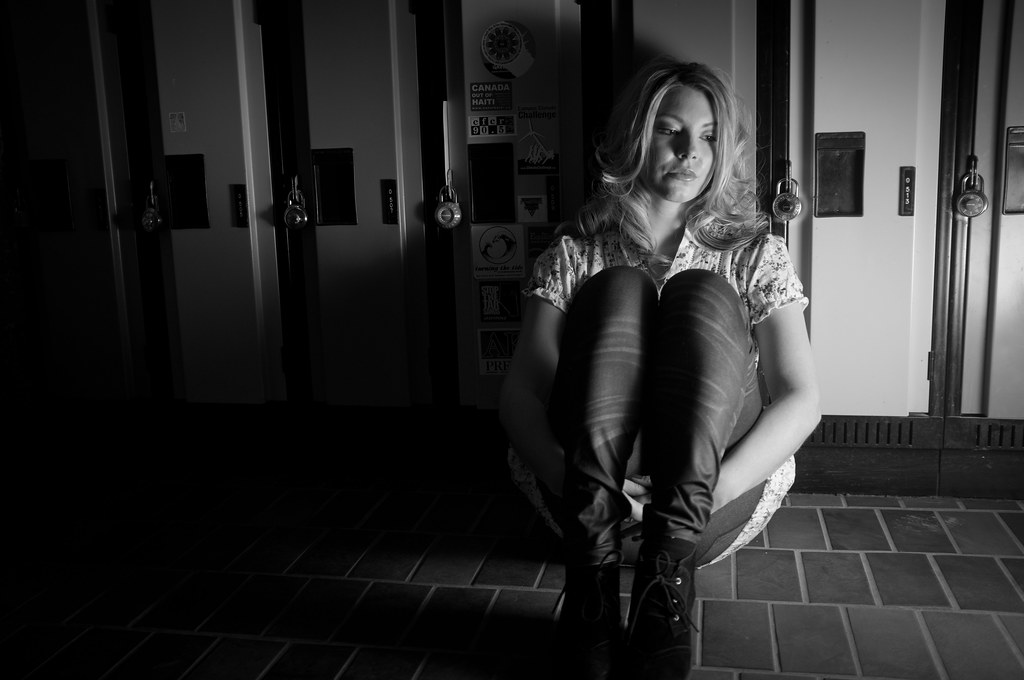
Trying some funky lighting out we took some shots by the lockers

In the bright catwalk hi-key lighting seemed to work so I ran with it

Strong sunlight provides natural backlighting while a white umbrella re-purposed as a reflector provides fill.

A colour shot from the X100 since I just realized the rest were BW or cross processed
Once the shoot was done I reflected a little on the pros and cons. Focusing speed and accuracy still doesn't compare with a dSLR, I did find myself second guessing the focus often. I also wish there was a smart mode where the camera would automatically go into macro mode if the subject is just entering that focal length. Its a real pain when doing portraits because it seemed to me the distance I'd most often shoot at was riding the line between normal and macro modes. I did like how the fixed lens made me work a little more to get the composition I wanted.
I realized after the shoot that I'd spent the whole time at f2, I probably should have tried a bit more with a closed down aperture but I'm fairly confident that image clarity could only improve.
After editing the photos and pixel peeping I'm quite happy with the images. Its not going to replace my 5DMKII by any means and I probably won't use it on any paid gigs except maybe to take advantage of the high speed sync here and there. The fact that I won't use it much if at all for paid work is the main thing that I was having trouble with, if I can use a camera to make money its much easier to justify. That being said there isn't really much choice out there for a camera like this, really Leica is the only manufacturer that comes to mind that those are much harder to justify.
All in all I'm happy with this little slice of retro heaven. Sure it has some quirks and some of the settings/menus are awkward but the fact that I can have such great image quality in such a portable form factor makes up for it. I think this is going to be my new traveling companion. I always wind up leaving my 5DMKII at home when I travel just because I'm too paranoid about bringing it anywhere, especially humid climates. For my last number of trips I took my backup dSLR which is a Canon t2i and have been amazed at what its capable of, however lugging my camera bag and laptop around through airports left me wishing I had a more portable option.
For better or worse it looks like I'm going to keep this camera, I just wish I would have had it with me a month ago when I was in Cuba!
I realized after the shoot that I'd spent the whole time at f2, I probably should have tried a bit more with a closed down aperture but I'm fairly confident that image clarity could only improve.
After editing the photos and pixel peeping I'm quite happy with the images. Its not going to replace my 5DMKII by any means and I probably won't use it on any paid gigs except maybe to take advantage of the high speed sync here and there. The fact that I won't use it much if at all for paid work is the main thing that I was having trouble with, if I can use a camera to make money its much easier to justify. That being said there isn't really much choice out there for a camera like this, really Leica is the only manufacturer that comes to mind that those are much harder to justify.
All in all I'm happy with this little slice of retro heaven. Sure it has some quirks and some of the settings/menus are awkward but the fact that I can have such great image quality in such a portable form factor makes up for it. I think this is going to be my new traveling companion. I always wind up leaving my 5DMKII at home when I travel just because I'm too paranoid about bringing it anywhere, especially humid climates. For my last number of trips I took my backup dSLR which is a Canon t2i and have been amazed at what its capable of, however lugging my camera bag and laptop around through airports left me wishing I had a more portable option.
For better or worse it looks like I'm going to keep this camera, I just wish I would have had it with me a month ago when I was in Cuba!


